To manually set up a Schedule without using the Capa Connect App:
NOTE – Please be aware that when the appliance is connected to the CAPA Connect App the onboard scheduling option is removed from the menu. The ability to program the heaters manually is NOT available if the heater is connected to the CAPA Connect App, until it is disconnected from the app and a factory reset is performed.
To access the on-board scheduler please do the following:
- Press the hand option for 3 seconds.
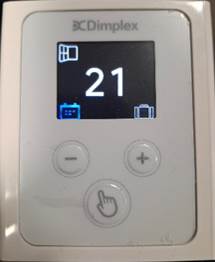
- Use the + or – to locate the Schedule Mode

- Press the hand symbol to enter the scheduler mode
- First you will need to set the CURRENT time and date. To do this use the + and – to select the appropriate time and date. Once set, select the hand symbol to move on.
- Now you will need to set the comfort and setback temperatures. Use the + and – to navigate to the required setting.
 Comfort is indicated by the red flame symbol. Press the hand symbol to select into it, then adjust the target temperature using the + and – buttons. Once set, press the hand symbol again to confirm.
 Now set the setback temperature. This is indicated by the green leaf symbol. Press the hand symbol select it and now adjust to the desired temperature using the + and – buttons. This for the temperature the heater maintains outside of the comfort periods set above. Press the hand symbol again once setback is set.
- To select OK press the hand symbol.
- You will now be taken to the scheduler function to program the hours of comfort. There are 7 numbers and these indicate the days of the week.
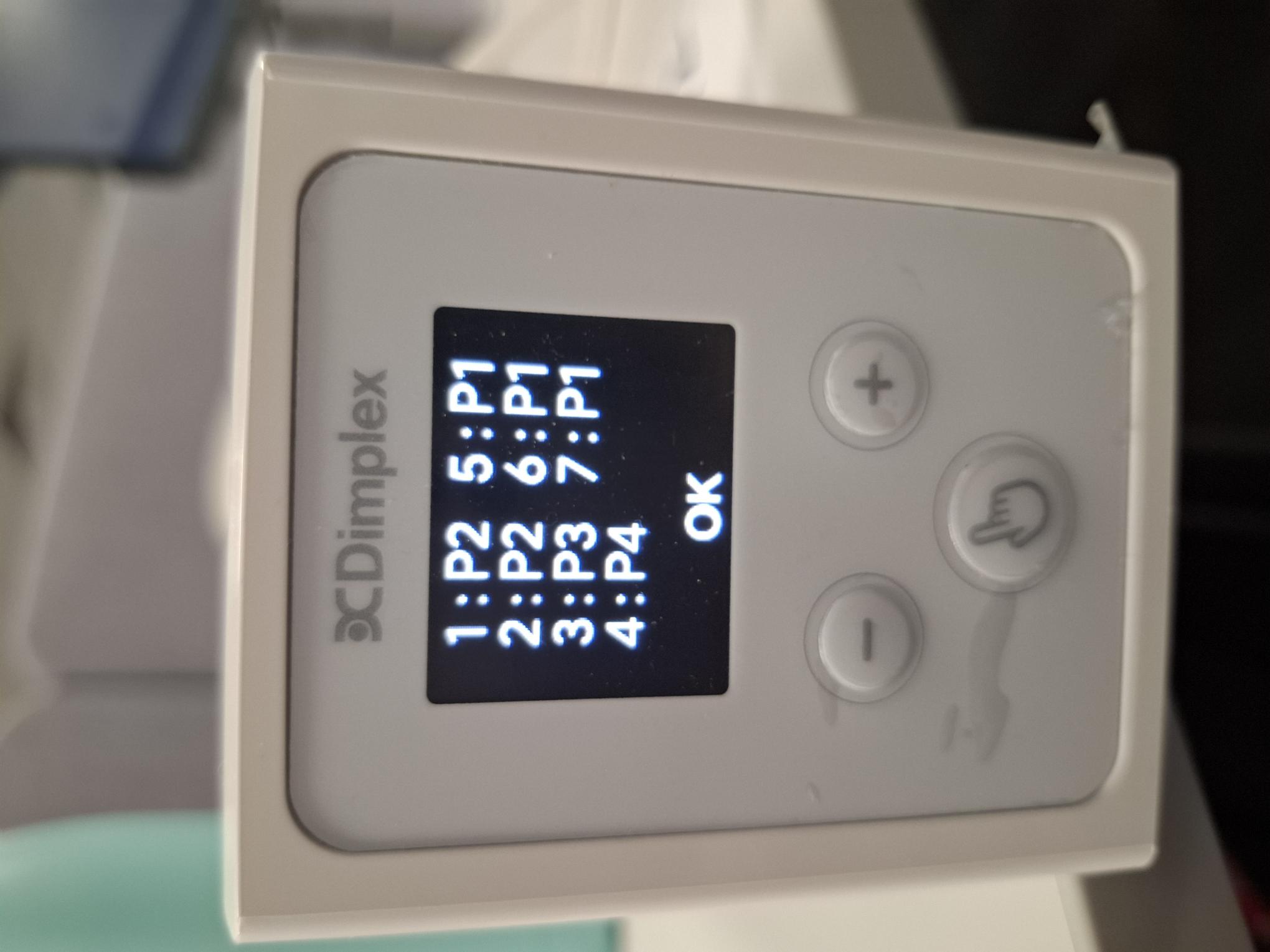 1=Monday
- 2=Tuesday
- 3=Wednesday
- 4=Thursday
- 5=Friday
- 6=Saturday
- 7=Sunday
To select the profile you want to have on each day, use the + and – to select 1-7. Then press the hand symbol to select the relevant day and cycle through the different program options.
There are 4 programs available to select:
- P1 – Two comfort periods:
- 5am to 9am
- 5pm to 11pm.
- P2 – Three comfort periods:
- 5am to 9am
- 12pm to 2pm
- 5pm to 11pm
- P3 – One comfort period:
- 5am to 11pm
- P4 – Is completely customisable by the user, allowing up to four periods of comfort to be selected. When P4 is selected for the first time it will allow you use the + and – buttons to adjust. When you have set the first period, select the hand symbol to move to the next. Continue this until all periods are set.
Note:
- If left approx. 20sec the screen defaults back to sleep mode, and any previous changes (except the date and time, will be reset i.e. comfort/setback temps
- If you re-edit the schedule, when you select the 1st occurrence of P4, it will allow you to again edit the times
- When not using a period within P4 just need to ensure the start and end times are the same i.e. 12:00 – 12:00
- P1, P2 & P3 are not editable
Applicable Models:
DAR050, DAR075, DAR100, DAR150, DAR200
Was this article helpful?
That’s Great!
Thank you for your feedback
Sorry! We couldn't be helpful
Thank you for your feedback
Feedback sent
We appreciate your effort and will try to fix the article